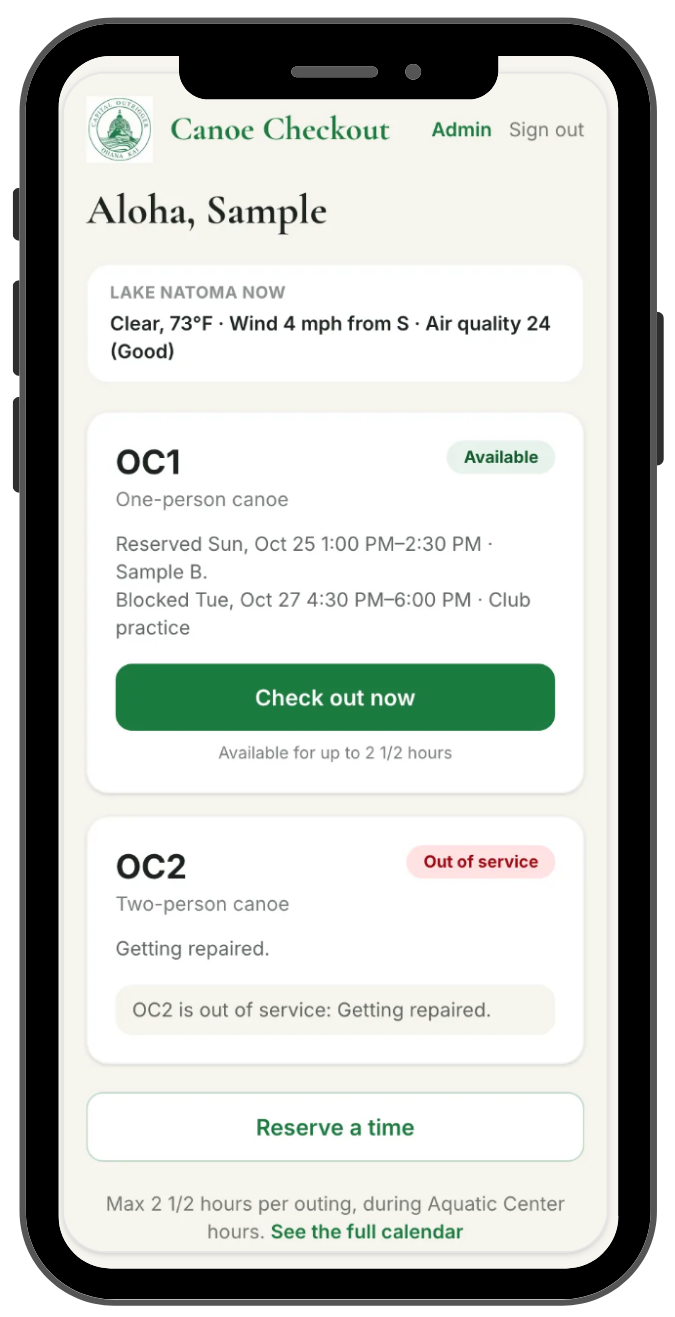
Been checked out by a coach to use the OC1 or OC2?
Check out a canoe here
If you have been checked out by a coach and are on the authorized list, you can check out one of the canoes during AC operating hours below. It’s simple (but here’s a resource guide if you need it):
Enter your email to get a login link (no passwords needed!)
Check your email and click the link to login.
Check out a canoe now, or in the future for up to 2 ½ hours at a time. You’ll get an email confirming your reservation.
When you’re done, check your canoe back in and note if you notice any damage so that we can address it right away.
If you are unable to login and think you should have access, contact your coach on TeamSnap.
Add the app to your phone (see instructions here).
Add the App to Your Home Screen on Your Phone
Adding the app to a phone’s home screen. These steps are also in the guide’s “On a phone’s home screen” section:
iPhone: open the app in your browser, tap the Share button (the square with an arrow), scroll down to Add to Home Screen, then tap Add.
Android: open the app in Chrome, tap the ⋮ menu, then Add to Home screen (or Install app), then Add.